Add your menu
After this article Joep has your menu, and you can see in My Joep how he knows your dishes and prices.
What you need
- Your menu as a PDF, a photo or an Excel file, at most 10 MB. An export from your till as csv or txt works too.
- No file? Then you type the menu in.
- The prices as they are today. Joep takes the prices from your menu.
How long it takes: 5 minutes
Steps
Open My Joep and go to Menu.
If you have no menu yet, you see the block “Add your menu”. If you already have one, the block is called “Upload a new menu” and your upload replaces the current menu.
Choose “File or photo” if you have a file, or “Type it in” if you want to type the menu.
A PDF or an Excel file works best. An export from your till, as csv or txt with columns such as category, product and price, is uploaded as a file too.
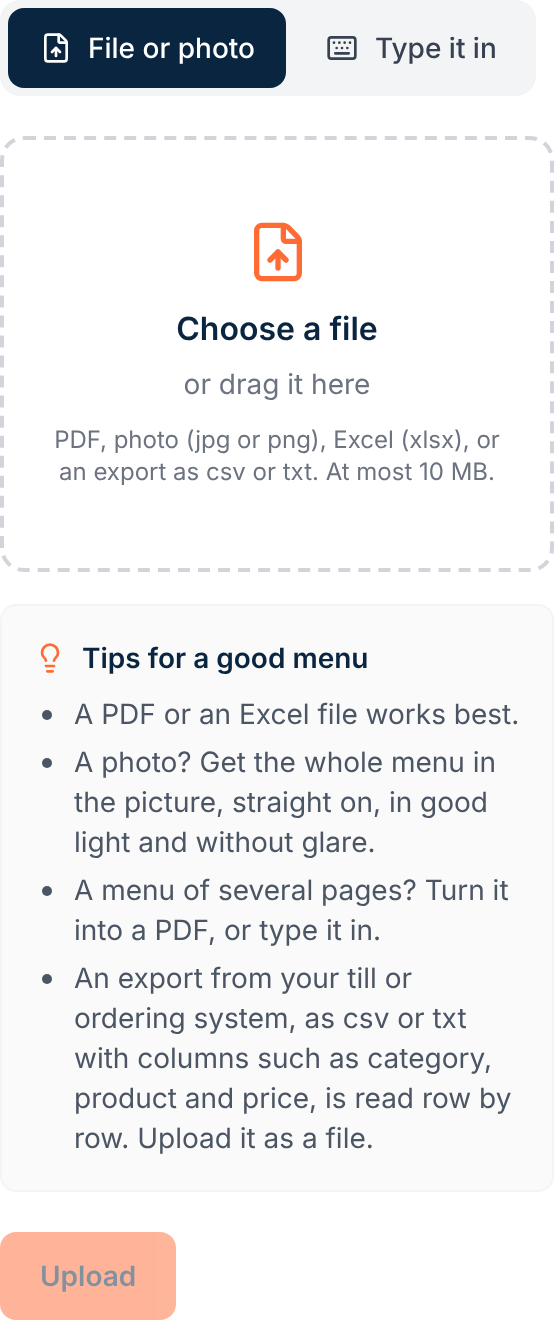
Click “Choose a file” and pick your menu, or type your menu in the field “Your menu”.
A photo? Get the whole menu in the picture, straight on, in good light and without glare. Turn a menu of several pages into one PDF. If you type the menu, put one dish per line, with its price, and include variants and extras, such as small and large or sauces.
Click “Upload”.
You see “Received. Joep is processing your menu, which usually takes a few minutes.” Under “Your menu” it now says “Processing”. The page refreshes by itself.
Wait until the label “Live” shows under “Current menu”.
If it says “Being reviewed”, we check the menu first and put it live afterwards. We will let you know if something is wrong.
Check in the block “How Joep knows your menu” that your dishes and prices are right.
This is the menu Joep works from: per category your dishes with their price, sizes, choices and extras. The search field above it finds a dish quickly.
How to tell it worked
Under “Current menu” you see the label “Live”, and “How Joep knows your menu” lists your dishes with the right price. If you already have a Joep number, call it to hear whether Joep knows your menu.
Not working?
Your upload says “Did not work”.
Joep could not read the menu. Upload it again, for example as a clearer photo or as a PDF, or email support@joep.ai.
You get a message that the file is too large, or that we cannot read it.
Upload a PDF, a photo or an Excel file of at most 10 MB. If your file is too large, make it smaller. Turn a menu of several pages into one PDF, or type it in.
A price or a dish in “How Joep knows your menu” is wrong.
You cannot change single dishes in My Joep. Correct it in your own menu and upload that again under “Upload a new menu”.
Related articles
Updated on