See your orders in My Joep
After this article you find every order of a day, with what was ordered and for whom.
What you need
- Your login for My Joep.
How long it takes: 1 minute
Steps
Open My Joep and go to Orders.
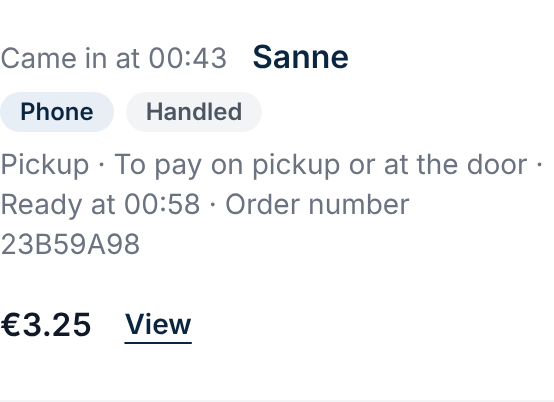
You see the orders of today, the newest first. Every order says when it came in, who it is for, whether it came in by phone or through your ordering site, and the amount.
Choose another day at “Day” and click “Show”.
With “A day earlier” you go back one day. An order is listed on the day it came in, also when it is for a later day.
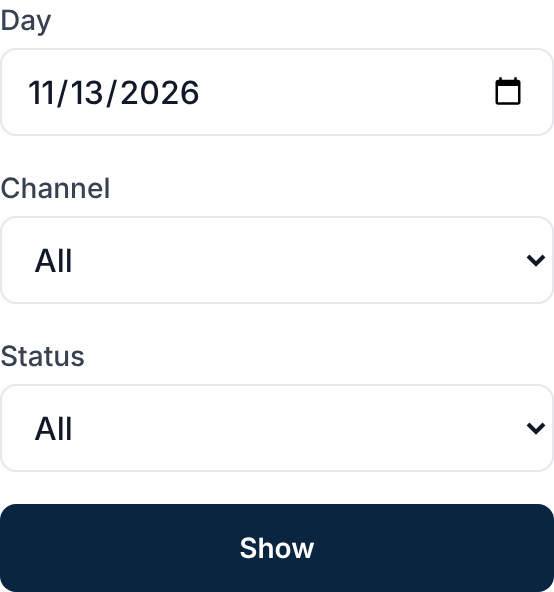
Choose at “Channel” or “Status” which orders you want to see.
At the channel you choose the phone or your ordering site. At the status you choose, for example, only the orders that were cancelled. Then click “Show” again.
Click “View” at an order.
You see what was ordered, the amounts, the times and how it was paid, and the name, the phone number and the delivery address of your customer. A trial order you placed yourself is marked as a trial order.
How to tell it worked
You see the order you were looking for, with its lines, its amount and the details of your customer.
Not working?
An order from your ordering site is not there yet.
An order from your site is in the list a minute after it is paid: in that minute your customer can still cancel. Refresh the page after a minute.
You cannot find an order from longer ago.
An order stays here for as long as we keep it: ninety days, unless you agreed something else with us. After that it is gone, here as well. A trial order stays a day.
You want to handle or change an order.
That is not possible on this page: here you only read back. You handle orders in your receipt printer app.
Related articles
Updated on