Request your ordering site and take it live
After this article your own ordering site is live at your own address, with a QR code for your customers.
What you need
- A venue Joep is activated for, with a menu that is live.
- A Mollie account, or ten minutes to create one.
- Your Chamber of Commerce number and your VAT id.
- Your receipt printer app, paired and switched on.
How long it takes: 30 minutes, and after that usually one working day of waiting
Steps
Open My Joep and go to Ordering site.
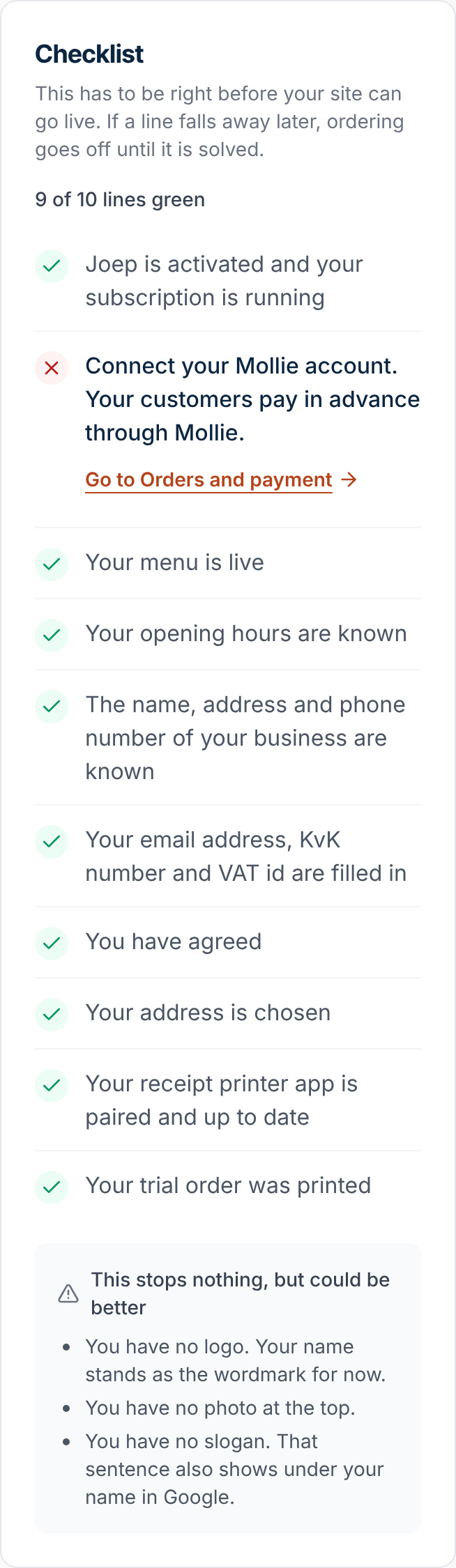
At the top is the block “Status and address”, and below it the “Checklist” with the ten lines that have to be right before your site can go live. The overview of My Joep lists the same steps as tasks.
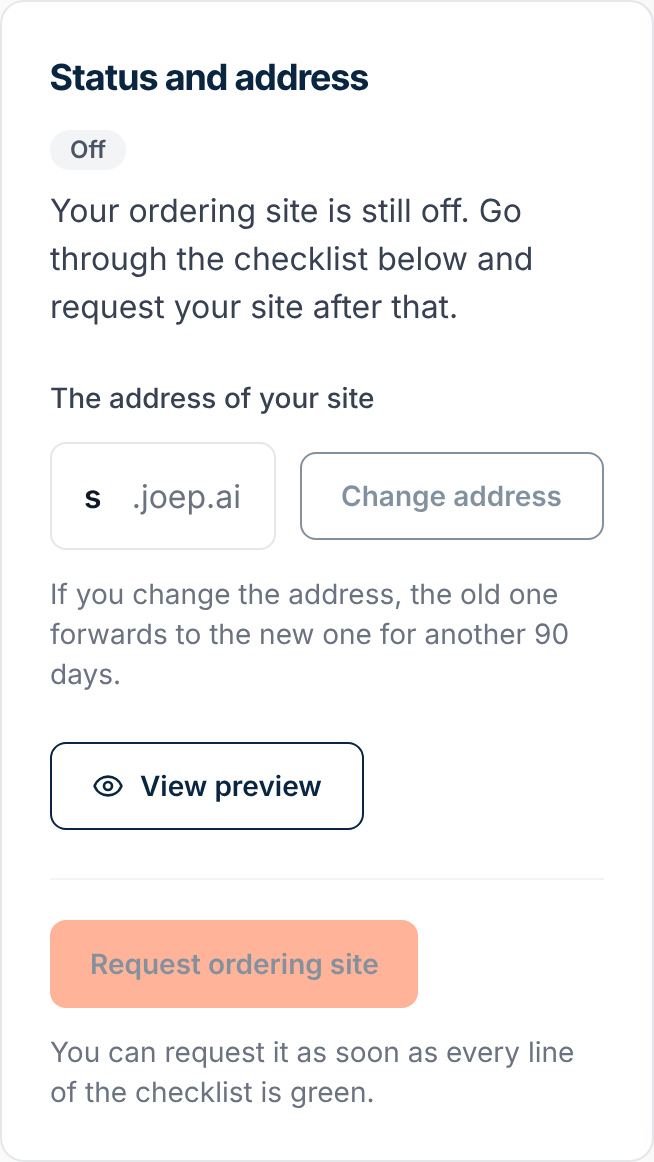
Choose at “The address of your site” the address your customers will order at.
Lowercase letters, digits and a hyphen, between 3 and 40 characters. If an address is taken, you see addresses that are still free.
Go through the “Checklist” and solve every line that is still open.
An open line says what is missing, with a link to where you solve it: connecting Mollie, filling in your email address, Chamber of Commerce number and VAT id, giving your agreement and pairing your receipt printer.
Click “Open the preview and order” at “Trial order”.
You can do that once the other lines of the checklist are green. You order on your own site and pay in the test mode of Mollie: no money changes hands. The receipt comes out of your receipt printer marked PROEF, a minute after paying. After that the last line is green as well.
Click “Request ordering site”.
You can do that as soon as every line of the checklist is green. We look at your site, usually within one working day, and you get an email once it is live. Your site may also be live at once: you read that in the same place.
Download the code with the address of your site under “QR code”.
The code is there once your site is live, as an image and as a pdf on A5 and A6. Handy for the bag, the counter and the window.
How to tell it worked
At “Status and address” you read that your ordering site is live, with its address. Open that address and you see your own menu.
Not working?
You cannot click the button “Request ordering site”.
Then not every line of the checklist is green yet. Look in the checklist which line is still open and solve that one first.
Your trial order does not count.
A trial order counts once its receipt is printed. Check that your receipt printer app is on and up to date, and place a trial order again afterwards.
We sent your ordering site back.
At the top of the Ordering site page you read what our team wrote. Change that and request your site again afterwards.
Related articles
Updated on