With Joep Complete
Pay at the counter or with a payment link
After this article a caller pays the way you choose, and the receipt tells you whether there is still something to pay.
What you need
- A business where Joep takes orders: only then does My Joep show how the caller pays.
- For the payment link: a connected Mollie account.
How long it takes: 5 minutes
Steps
Open My Joep and go to Orders and payment.
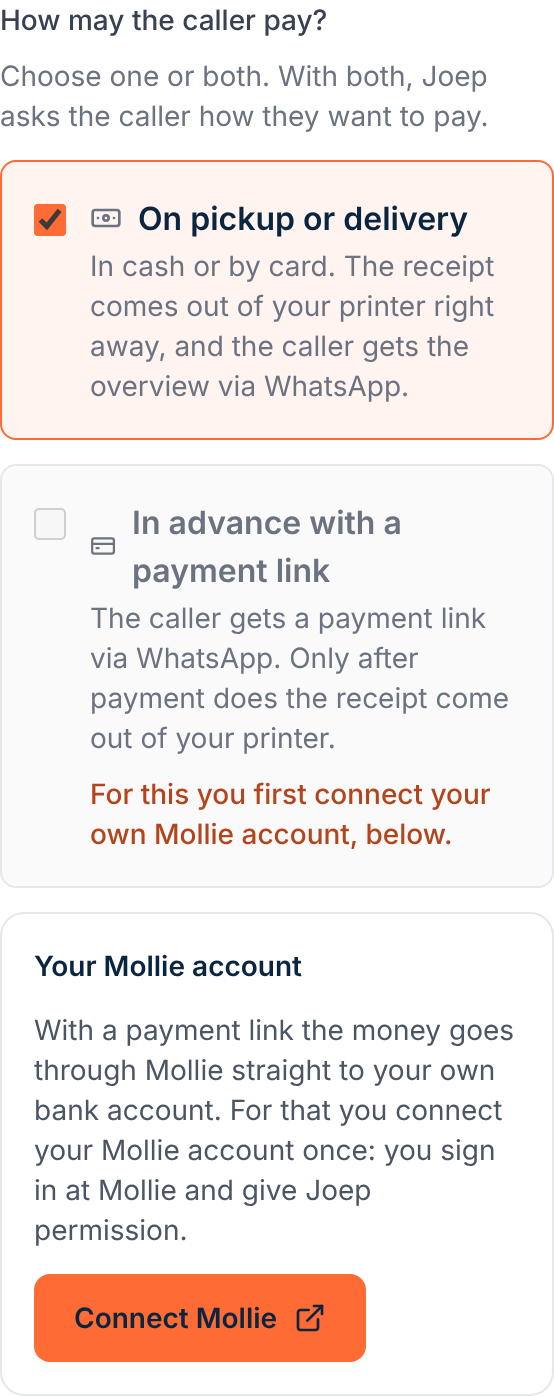
Find the question “How may the caller pay?”.
Tick one way to pay, or both.
With “On pickup or delivery” the caller pays in cash or by card and the receipt comes out of your printer right away. With “In advance with a payment link” the caller gets a payment link via WhatsApp and the receipt only comes out after payment. With both, Joep asks the caller how they want to pay.
Choose under “How long may paying take?” how much time the caller gets.
You only see this question when the payment link is ticked. You choose 10, 15, 20 or 30 minutes, or with “Other” a number of your own between 5 and 120 minutes. If the caller does not pay in time, the order lapses by itself and no receipt is printed.
Click “Save”.
It then says “Saved. Joep uses this from the next call.”
Check on the receipt of every order whether there is still something to pay.
It is printed large above the customer’s name and the dishes, in Dutch. Paid with the payment link: “BETAALD” (paid) with “Vooraf betaald met betaallink”. Paid at your business: “NOG BETALEN” (still to pay) with the amount and “bij afhalen” (on pickup) or “bij bezorging” (on delivery).
How to tell it worked
The receipt of the next phone order says “BETAALD” or “NOG BETALEN”. The caller gets the overview via WhatsApp, with the payment link in it when they pay in advance.
Not working?
You cannot tick “In advance with a payment link”.
Under it you then see “For this you first connect your own Mollie account, below.” Connect Mollie first, in the block “Your Mollie account”. After that you can tick the payment link.
When you save it says “Choose at least one way to pay.”
A caller must always be able to pay. Tick “On pickup or delivery”, “In advance with a payment link”, or both.
An order with a payment link does not come out of the printer.
The receipt only prints once the caller has paid. If they do not pay in time, the order lapses by itself. No receipt is printed, so you make nothing.
Related articles
Updated on