With Joep Complete
Choose which language Joep answers in
After this article Joep answers in the language of your business and can switch to a second language when a caller speaks it.
What you need
- Access to My Joep.
- Your choice of main language: Dutch or English.
How long it takes: 2 minutes
Steps
Open My Joep and go to Phone.
The languages are in the block “Greeting and tone”, under the tone, at “In which language does Joep answer?”.
Choose Dutch or English at “Main language”.
Joep picks up in this language. If you type your own greeting, write it in this language too.
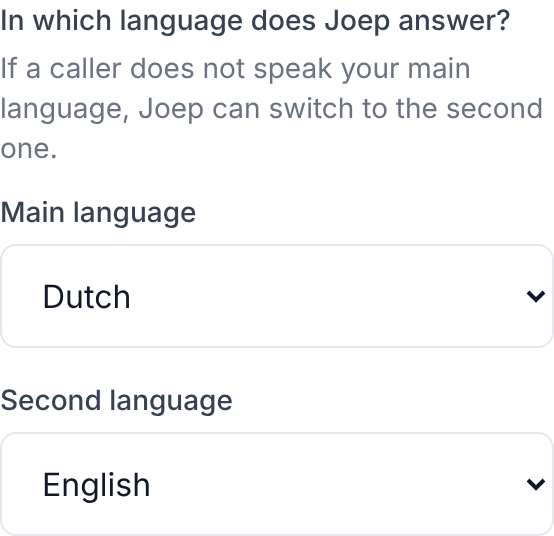
Choose the other language at “Second language”, or “No second language”.
If a caller does not speak your main language, Joep can switch to the second one. Without a second language Joep holds every call in your main language.
Click “Save” under this block.
Every block on the page has its own button. It then says “Saved. Joep uses this from the next call.”
How to tell it worked
Call your Joep number and speak your second language. Joep then continues in that language.
Not working?
A caller speaks a language you did not choose.
Joep only holds the call in your main or your second language. He says he cannot take the other language and offers to have someone call back.
You are looking for a language other than Dutch or English.
In My Joep you choose between Dutch and English. If you want something else about Joep changed, send us a message at support@joep.ai.
After changing your main language the second language is on “No second language”.
That happens when you pick as main language the one that was your second language. Choose a second language again and click “Save” under the block.
Related articles
Updated on